First navigate to the Settings and Privacy tab of Twitch settings.
Scroll to the bottom of the page, the second to the bottom setting will be “Training for Generative AI”, which is enabled by default.
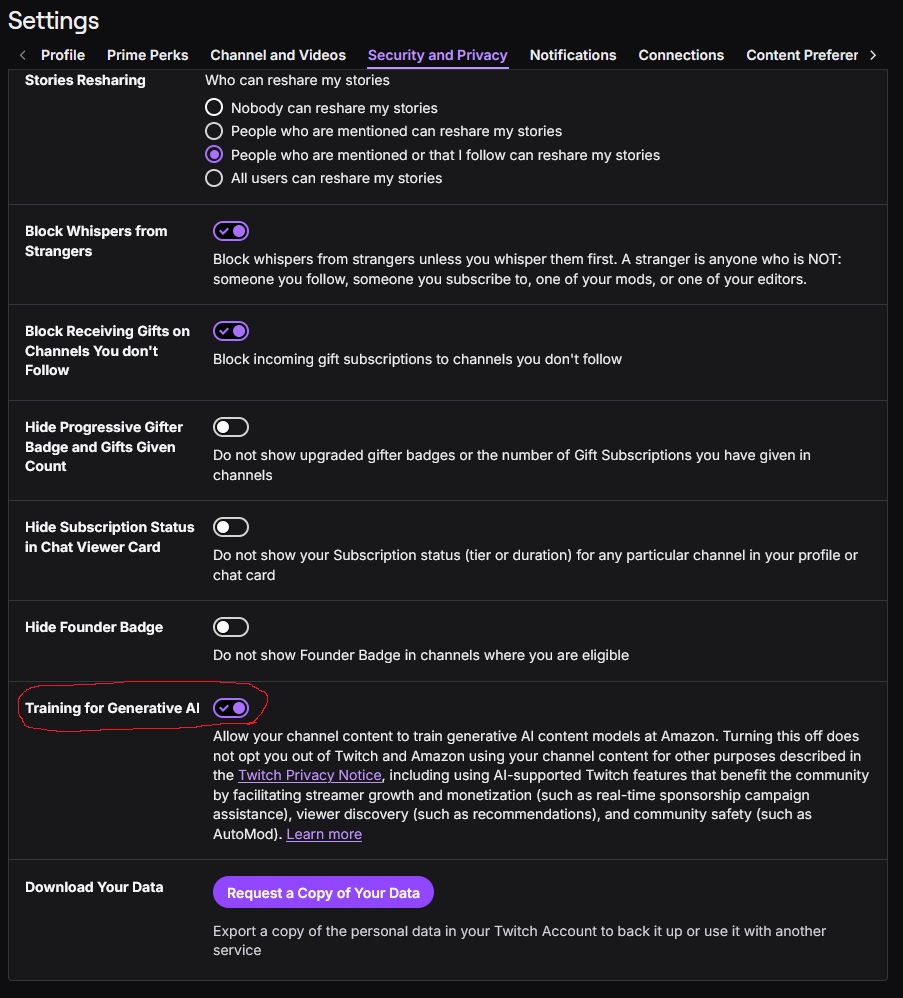
Click the switch to disable the AI training setting, it will appear grey when disabled.
